
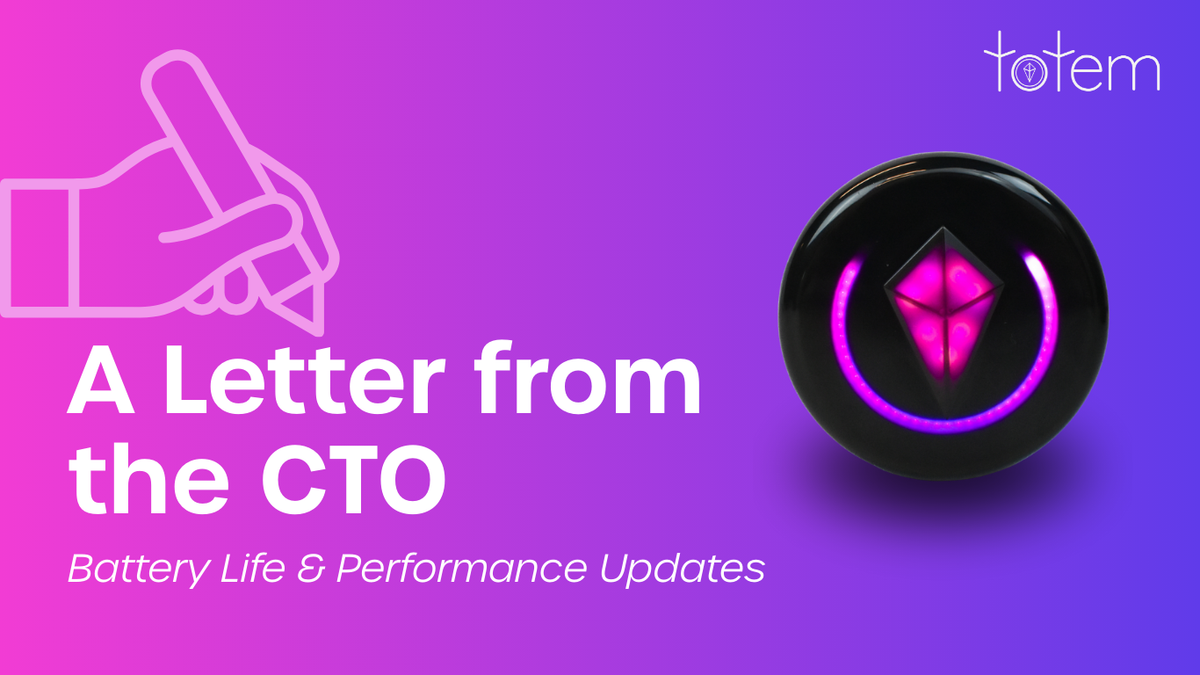
Update (September 2026): this page now opens with current battery-life figures for Totem Compass Version 5.0. Our CTO’s August 2025 letter about the battery fixes in Releases 3.10–3.15 is preserved below as a record of that work.
On Version 5.0, the Totem Compass battery lasts up to 12+ hours in Vibe Mode and beyond 20 hours in Eco Mode, depending on how you use it and the conditions. A full charge takes about 45 minutes over standard USB-C.
Those are “up to” figures, so your own results will depend on which mode you’re in, your brightness setting, and how you use your Totem. Below, we break down battery life by mode and by software version, explain what drains the battery faster, and share a few tips for making a charge last through a long festival day.
How Long Does the Totem Compass Battery Last?
The Totem Compass has two main modes, and they use power very differently:
| Mode | What you see | Battery life on Version 5.0 |
|---|---|---|
| Vibe Mode | Full brightness: sound-reactive light displays, with your Bonds visible around the ring | Up to 12+ hours |
| Eco Mode | The Touch Crystal dims and all other lights disappear | Beyond 20 hours, depending on use and conditions |
Source: Totem Compass Version 5.0, September 2026.
Version 5.0’s redesigned Vibe Mode is behind the latest improvement. It changed how and when the Totem uses power instead of just turning things down, and many users see roughly one to two extra hours compared with earlier software.
Totem Compass Battery Life by Software Version
Battery life is mostly a software story, and it has changed a lot since launch. For transparency, here are the figures we’ve published over time, in order:
| Software | Vibe Mode | Eco Mode |
|---|---|---|
| Before Release 3.7 (January 2025) | Up to 16 hours on a single charge (mode not specified) | |
| Release 3.7 (February 2025) | 10–14 hours (described in the CTO letter below as up to 10 hours in Day Vibe and up to 14 hours in Night Vibe) | 24+ hours |
| Release 3.10 (2025): temporary fix | About 5 hours | Unchanged |
| Release 3.14 (2025) | About 6 hours (Day Vibe), about 7 hours (Night Vibe) | About 15 hours |
| Release 3.15 (August 2025) | Up to 8 hours (Day Vibe), up to 10 hours (Night Vibe) | Up to 22 hours |
| Version 5.0 (September 2026) | Up to 12+ hours | Beyond 20 hours |
The story behind the dip in 2025, and how the team fixed it, is in our CTO’s letter below.
What Affects Your Totem Compass Battery Life
- Mode: Vibe Mode’s full-brightness light show uses far more power than Eco Mode.
- Brightness setting: in Vibe Mode, a higher brightness setting means shorter battery life.
- How you use it: every figure above is an “up to” number, and real-world battery life varies with use and conditions.
- Software version: as the table shows, updates have changed battery life by hours. Staying on the latest software is the easiest way to get the most out of each charge.
- Starting charge: a Totem that left camp half-charged won’t make it to the headliner.
How to Check, Charge, and Stretch Your Totem’s Battery
Check Your Battery Level
Click the Power Button once to turn your Totem on. The battery level shows as a ring around the Compass: a yellow ring means low, a partial green ring means medium, and a full green ring means full.
When your Totem needs a charge, the Touch Crystal slowly pulses red and won’t respond to touch.
Charge Your Totem
Plug in with a standard USB-C cable. A full charge takes about 45 minutes, and a green light appears when it’s done. You don’t need to take your Skin off to charge.
Switch to Eco Mode to Save Power
Click the Power Button once to enter Eco Mode. The Touch Crystal dims and all other lights disappear. Ready to vibe again? Click the Power Button again. (More in our Power Button tutorial.)
Battery Tips for a Long Festival Day
- Update before you go. Use the Software Update Guide to get every Totem in your group onto Version 5.0.
- Start full. Charge at camp or in the hotel while you get ready. It only takes about 45 minutes.
- Use Eco Mode when you don’t need the light show, like travel days or downtime at camp, and switch back to Vibe Mode when the music starts.
- Bring a USB-C power bank for multi-day events without easy outlets.
Getting Totems for your crew? Every Standard and Premium Bundle includes charging for each person. The Totem Compass Bundle builder lets you customize the best Bundle for your group size, for up to eight people, and you can split the payment with friends using Paysquad at checkout.
Build your group’s Totem Bundle →
A Message From Our CTO on Battery Life and Performance (August 2025)
Originally published August 20, 2025, when Release 3.15 was the latest software. The figures below describe that release; for current figures, see the top of this page.
From the beginning, our goal with the Totem Compass has been to build a device you can rely on to stay connected during the most incredible moments of your life. A huge part of that reliability is battery life. We’ve been on a significant journey with our power management system, and today I'll be sharing a transparent look at our initial promise, the challenges we faced, the solutions we’ve implemented, and our commitment to you moving forward.
Our Original Battery Life Promise
When we launched, we published battery life targets based on extensive real-world testing. These were the standards we set for ourselves and the performance you rightly expected:
- Day Vibe: up to 10 hours
- Night Vibe: up to 14 hours
- Eco Mode: up to 24 hours
The Discovery: Why We Weren't Meeting That Promise
During intensive testing on site at Bonnaroo, we discovered a critical firmware bug. Our power-saving features, designed to extend battery life by briefly turning off communications during a sleep cycle, were causing the device's processor to freeze for up to 3 seconds at a time. This flaw was among the key factors behind the performance issues encountered at EDC Las Vegas in the spring.
The impact was twofold: not only did it fail to save power as intended, but the periodic freezing also crippled performance, resulting in missed location updates and unreliable connections, especially in areas with lots of Totem Compasses around.
The Solution: Our Work to Restore Performance
Upon identifying the bug, our engineering team made it our top priority to fix it. Our journey back to our original performance targets was methodical and happened across several key firmware updates:
- The Calculated Tradeoff (Release 3.10): For immediate stability, we disabled the faulty power-saving feature. This stopped the freezing but meant that Vibe modes had a battery life of only ~5 hours. It was a necessary short-term trade-off. Eco Mode was unchanged.
- The Critical Breakthrough (Release 3.14): We completely re-engineered our sleep logic, allowing the processor to rest while communications remained active. This was a major step forward, extending battery life in Day Vibe to ~6 hours and Night Vibe to ~7 hours. We discovered that Eco Mode had significant performance issues, so we adjusted it to ensure reliable comms which resulted in 15 hour battery life.
- The Comprehensive Overhaul (Release 3.15): We combined the new sleep logic with a corrected battery voltage calculation (derived from testing with high-precision equipment) and further software optimizations. This release restores reliable power saving without compromising performance in all modes.
As a result of this dedicated work, our current empirically-confirmed battery life is now remarkably close to our original goal:
- Day Vibe: up to 8 hours
- Night Vibe: up to 10 hours
- Eco Mode: up to 22 hours
Our Plan Moving Forward
Our work is not finished. We are continuing to optimize our firmware with the explicit goal of meeting and then exceeding our original battery life claims for this device. Beyond that, the lessons learned through this process have been invaluable. They are directly informing the development of our next-generation product, which will feature significant hardware upgrades to deliver a new level of performance and endurance.
Thank you for your patience and feedback throughout this journey. Your real-world use is what pushes us to build better, more resilient technology.
Gratefully,
Chase Lemonds
Chief Technology Officer, Co-Founder, and Inventor of the Totem Compass
Last reviewed: September 2026.