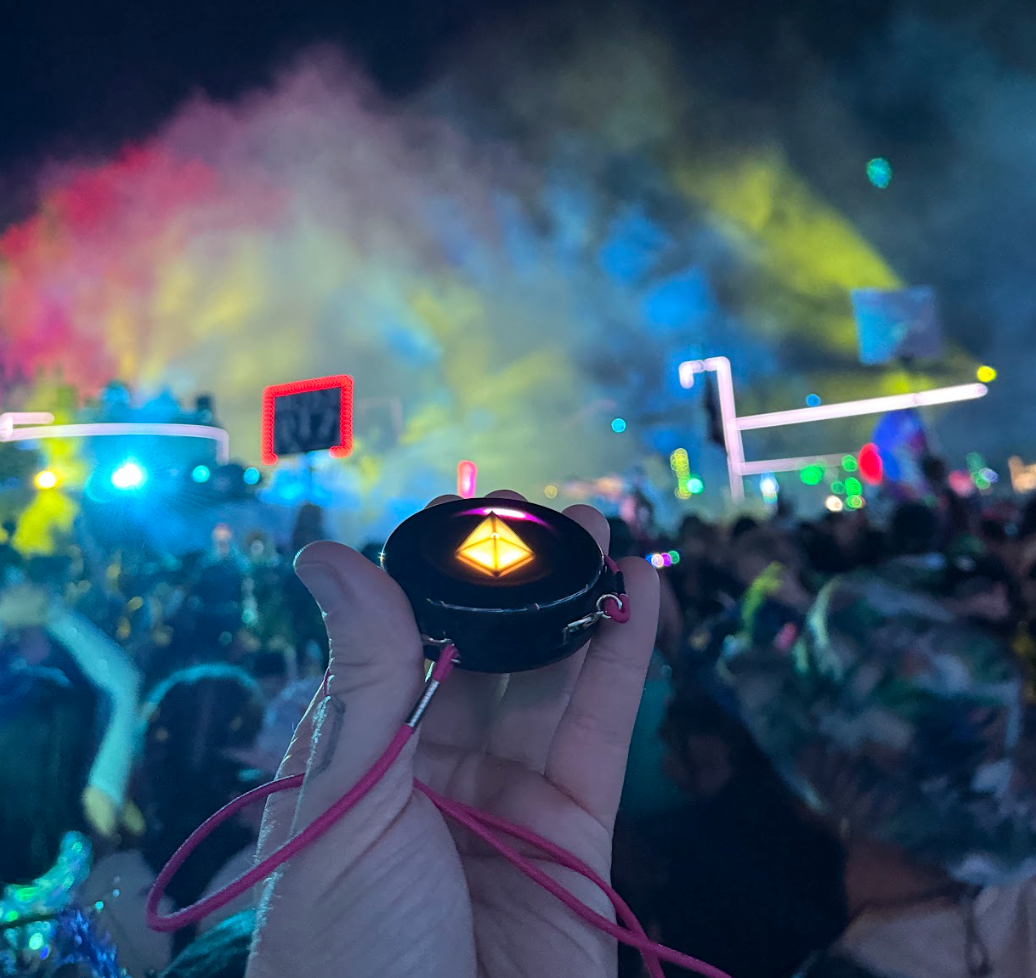

The five most common Totem Compass mistakes are easy to avoid: navigating next to large structures, holding your phone right next to your Totem, tapping the Touch Crystal too delicately, running Vibe Mode all day, and checking the battery while it’s plugged in. None of them will stop you from finding your friends. Avoiding them just gets you there faster.
The Totem Compass is a screen-free wearable that helps you find your friends without relying on cell service, and it’s designed with simplicity in mind.
If you’ve ever been to a music festival, you know that while they are magical, immersive playgrounds to explore, they can also be crowded, stressful and intense at times. So it was very important to us to make a festival compass that’s as easy to use as possible.
That said, there are a few things to avoid when you’re out there using your Totem. This guide is for people who already know the basics. If you’re just getting started, begin with How to Set Up Your Totem Compass.
So without further ado: welcome to Totem Pro Tips. Totem Pros avoid:
- Using your Totem next to large structures
- Holding your Totem next to your phone while navigating
- Being too delicate with your Totem’s Touch Crystal
- Using Vibe Mode all day long
- Checking the battery level while your Totem is plugged in
Plus one bonus tip for Version 5.0 at the end. 🫶
1) Avoid Using Your Totem Next to Large Structures
The Totem Compass uses satellites to figure out where it is before it communicates with another Totem. For the most precise satellite connection, go outside with a clear view of the horizon and the sky overhead. As the Totem Playbook puts it: if you can’t see the sky, neither can your Totem.
Large structures like stages, tents, buildings and dense tree cover can block the satellites overhead. When that happens, your Totem may lose its satellite connection, and the location it shares with your friends may be less precise.
This usually isn’t a big problem, and you shouldn’t have too much trouble finding the friends you’ve Bonded with, even if one of you is partly covered. It happens to the best of us!
But in a dense crowd, every bit of precision helps. Move away from big structures and into open space, especially if you know your friends are looking for you (or if you’re using SOS Mode). It will save your friends some time, and they will be very grateful. ♥️

Stay in open areas to help your friends find you with the Totem Compass.
2) Avoid Holding Your Totem Next to Your Phone While Navigating
The Totem Compass uses the Earth’s magnetic field to figure out which way is North. Combined with satellite positioning, that’s how it points the pretty lights toward your friends.
But other electronics have small magnetic fields of their own. If you hold your phone (or another electronic device) within a few inches of your Totem while you navigate, your Bond Lights can drift slightly.
Don’t worry! It doesn’t cause any permanent effects. Move the phone away and your Totem should settle back on course. On Version 5.0, your Compass also keeps calibrating itself as you move, and if the lights still seem off, a quick manual spin (hold it flat and turn until you see the white flash) sets it straight.
Keep this in mind when you’re weaving through a dense crowd and saying “excuse me” to dozens of people with your phone in one hand.
Your phone doesn’t affect your Totem’s location, though. Your friends can still find you if your Totem is in a pocket or bag with other devices. It only matters when you’re the one following the lights.

When you’re navigating, keep your phone in your pocket or bag.
3) Avoid Being Too Delicate With Your Totem’s Touch Crystal
The Touch Crystal (the glowing crystal on the front of your Totem) isn’t a typical button that you press.
It uses a capacitive sensor to tell when your finger is touching it, just like your smartphone’s touch screen. It senses the flesh on your finger, not downward pressure. For the best results, press the fleshy part of your fingerpad flat onto the Crystal’s surface.
Take extra care to use your whole fingerpad when you Bond with other Totems, and coach your friends to do the same, especially the ones who are new to the Totem Compass.
One more Crystal tip: when you tilt into Compass Mode, give the Crystal a couple of seconds to brighten before you touch it.
Tell your friends, tell your family: no delicate fingertips or fingernails!

When Bonding, press your whole fingerpad onto the Touch Crystal for the best results.
4) Avoid Using Vibe Mode All Day Long
If you’re taking your Totem out for an all-day adventure, you’ll want that battery to last as long as possible.
Version 5.0 made Vibe Mode more efficient, with up to 12+ hours of battery life. But Eco Mode goes further, beyond 20 hours depending on use. To switch, click the Power Button once: the Touch Crystal dims and the other lights disappear. Click it again when you’re ready to Vibe.
Vibe Mode looks AMAZING at night, but in the midday sun, your battery is the only one who’ll notice. Totem Pros save their Vibes for sundown shenanigans. 😘

Keep your Totem in Eco Mode during the day to maximize battery life.
5) Avoid Checking the Battery Level While Your Totem Is Plugged In
Your Totem shows its battery level every time you turn it on, as a ring of light around the Totem: a full green ring means fully charged, a partial green ring means medium, and a yellow ring means it’s time to charge.
That reading is most reliable when your Totem is not plugged in. If it’s charging, it might be a little… overly optimistic about its charge level. 😇 Unplug it first, then power on to check.
(P.S. A full charge takes about 45 minutes over USB-C, and the Touch Crystal shows a green light when it’s done.) 😘

Unplug your Totem before checking its battery level.
Bonus Tip for Version 5.0: Don’t Follow a Pulsing Light Blindly
A solid light means your Totem is actively communicating with your friend’s. A pulsing light means communication was lost: their Totem may be off, out of battery, or out of range. It shows where they were, not where they are, so follow at your own risk.
Version 5.0 helps here. When a Bond hasn’t sent an updated location in a while, your Compass collects it into the Touch Crystal instead of leaving a stale light on the rim. So the lights around your Compass are more likely to point to friends with current locations, and a pulsing light in the Crystal means “stale,” not “nearby.” The details are in our Version 5.0 update post.
Totem Pros Make Every Festival Better
As simple as the Totem Compass is to learn, helpful people like YOU make a huge difference, sharing these tips with the friends and festival-goers around you. More than 65,000 people in 80 countries use Totem now, and every one of them started out as a beginner.
People like you, who spend their prep time looking up festival tips and tricks… we salute you.
Getting Totems for the crew? The Totem Compass Bundle builder lets you customize the best Bundle for your group size, and you can split the payment with friends at checkout using Paysquad.
We hope to run into you at your next event. 🫶
Already have your Totems? Run through our pre-festival checklist.